

A menu-change log showing what changed, when, and who approved it
Administrative support for cannabis operators
Dispensary POS Administration
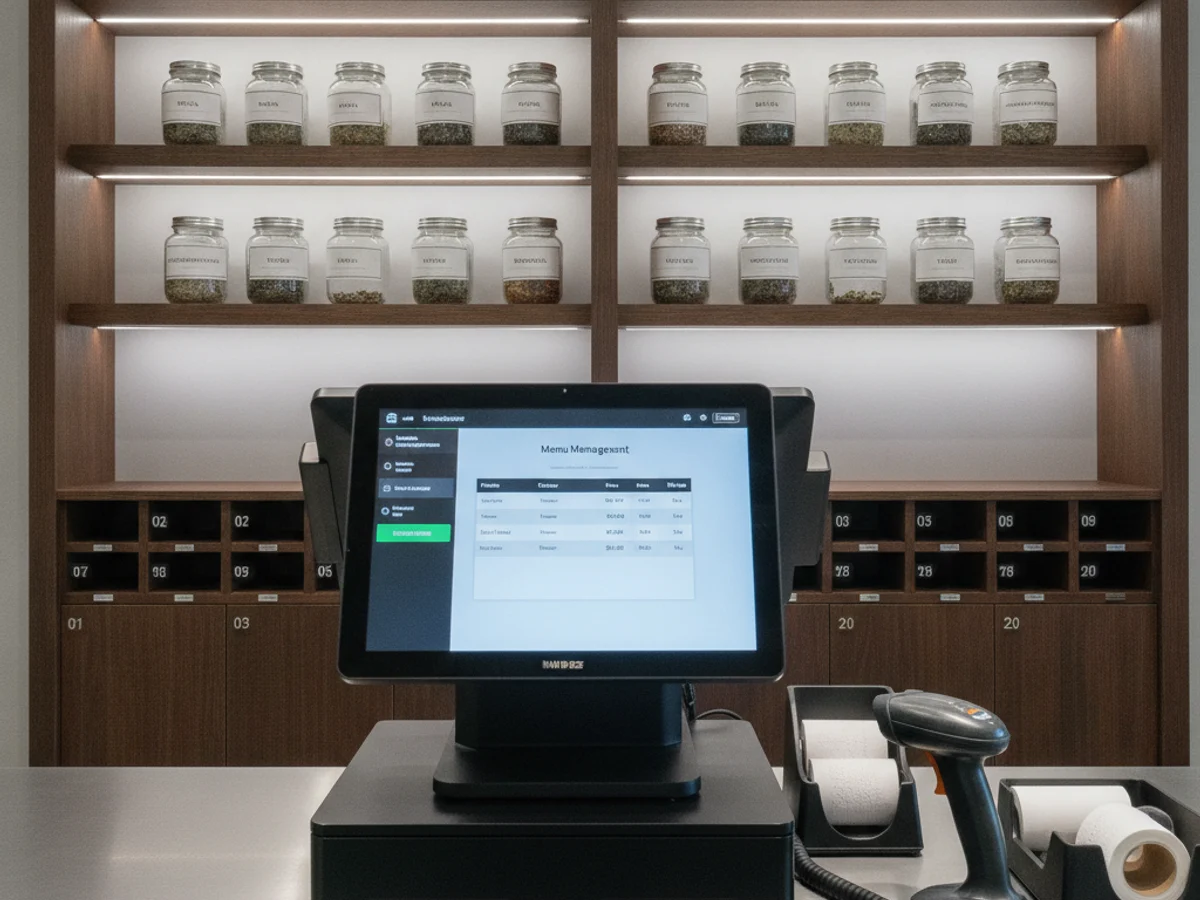
Administrative support for menu updates, promotion setup, end-of-day reporting, and reconciliation preparation inside your point-of-sale system.
Best fit: Dispensaries that run a busy POS and lose manager time to menu maintenance, promotion changes, exports, and daily reconciliation.
ScopeAdministrative work inside your written procedure
ReviewA named operator or manager approves exceptions
AccessMinimum-necessary system permissions
The operational problem
What this work looks like when it has no owner.
The POS is the operational source of truth, but keeping it accurate is a second job. Menu items change, promotions start and stop, product images go stale, and end-of-day reports need to be checked against the drawer and the day sheet. When the manager is also covering the floor, these tasks move to the end of the night or do not happen at all.
This is not a reason to hand over judgment. It is a reason to give the repeatable part of the work a documented owner, a reliable cadence, and a review path that does not depend on a manager remembering at the end of a long day.
Who this is for
Built for teams with a real queue, not a vague task list.
Dispensaries that run a busy POS and lose manager time to menu maintenance, promotion changes, exports, and daily reconciliation.
We are a fit when the work can be described, reviewed, and kept inside clear access limits. We are not a fit when the request is to make licensed decisions on your behalf or to replace an accountable manager.
What we need from your team
- POS access with the minimum permissions required for the approved tasks
- A pricing and promotion approval process, including who can authorize a change
- A current product list, approved images, and approved description language
- The daily close checklist and the reports your manager already reviews
- A named reviewer for price changes, discounts, voids, refunds, and exceptions
What we handle
The administrative scope.
The exact list is written into the role brief. Anything outside it returns to your named reviewer instead of being improvised.
- Menu and product-listing updates from a manager-approved change sheet
- Promotion and discount setup within an approved price and date range
- Daily sales, tax, and tender report collection
- Reconciliation preparation between POS reports and supporting records
- Product image and description updates using approved assets and copy
- Export organization and recurring report delivery
What you receive
Outputs your team can check.
Good administrative support leaves a record. These are the visible outputs that make the work reviewable, not just busy.
A daily report pack delivered on the agreed schedule
A promotion calendar with start and end checks
A reconciliation worksheet with unexplained differences highlighted
A recurring issue list for the manager and POS vendor
How the work moves
A controlled start, then a reviewed rhythm.
Document the change path
We map how a price, product, image, or promotion moves from approval to the live menu, including the places it must be updated.
Set the daily pack
The reports your manager actually uses are collected into one repeatable close routine with clear file names.
Run within approval
The assistant completes approved changes and reports, then routes any discrepancy or unapproved request back to the manager.
Check the pattern
Weekly review looks for stale menu items, late promotions, repeated tender differences, and reports that are consistently incomplete.
Controls and review
Quality is a visible routine.
- Price and promotion changes checked against the signed approval sheet
- Menu spot checks against the shelf and the current product list
- Daily report completeness checklist
- Reconciliation differences documented rather than smoothed over
- Weekly review of recurring POS errors and vendor follow-up
What stays with your team
Operator authority is not delegated.
- No pricing, margin, or promotion decisions
- No refunds, voids, credits, or cash disbursements without manager approval
- No cash handling or bank deposit preparation
- No inventory adjustment or transfer approval
- No access to payment credentials or cardholder data
Final boundaries depend on your license, jurisdiction, internal policy, and the systems you approve. We document them with you before launch.
Common starting scenarios
Where teams usually begin.
These are representative starting points. Your queue, systems, and approval path determine the actual scope.
A menu launch across two stores
A product launch requires new images, descriptions, prices, and categories. The assistant works from the approved launch sheet, updates each store, and produces a completion log for the manager to spot-check.
Promotion rollover
A weekend promotion ends Sunday night. The assistant checks the end date, removes or updates the promotion on the approved schedule, and flags any store where the change did not take effect.
The end-of-day difference
The drawer and the POS report do not agree. The assistant assembles the day sheet, tender report, and exception notes for the manager instead of changing a record to close the gap.
Questions before the first call
POS Administration FAQ
Can the assistant change prices?
The assistant can enter a change that a manager has approved in writing. Pricing decisions, margin analysis, and unapproved discounts remain with your team.
Does the assistant handle cash?
No. Cash handling, deposits, and drawer custody remain with your on-site team. The assistant works with reports and records only.
Which POS systems can you support?
Scope depends on the system and the permissions you can provide. We review the exact menus and reports during discovery instead of promising universal support.
Can you fix a POS error?
The assistant documents the error, checks the approved troubleshooting steps, and escalates to your manager or the vendor. It does not improvise changes to live sales records.
Related services
Other queues that often connect.
Ready to review pos administration for your operation?
Bring the current queue, the systems, and the approval path. We will tell you what can be delegated and what should stay with your team.
Get a Free Consultation